Website Opt-In: How Patients Consent to Appointment Text Messages
Holistic AcuCare · Last updated June 2026
Our opt-in method: website opt-in
We use exactly one opt-in method: a website opt-in. Patients consent on our public website by checking a box while booking an appointment at holistic-acucare.mandarin.health/book. We do not use a keyword/SMS opt-in (there is no “text a keyword to a number” path), and no paper, verbal, or QR-code opt-in. We never buy, rent, share, or collect phone numbers from any other source, and we send no marketing texts — only a one-time verification code followed by transactional appointment notices (confirmation, decline, cancellation, or reminder).
The website consent step, in order
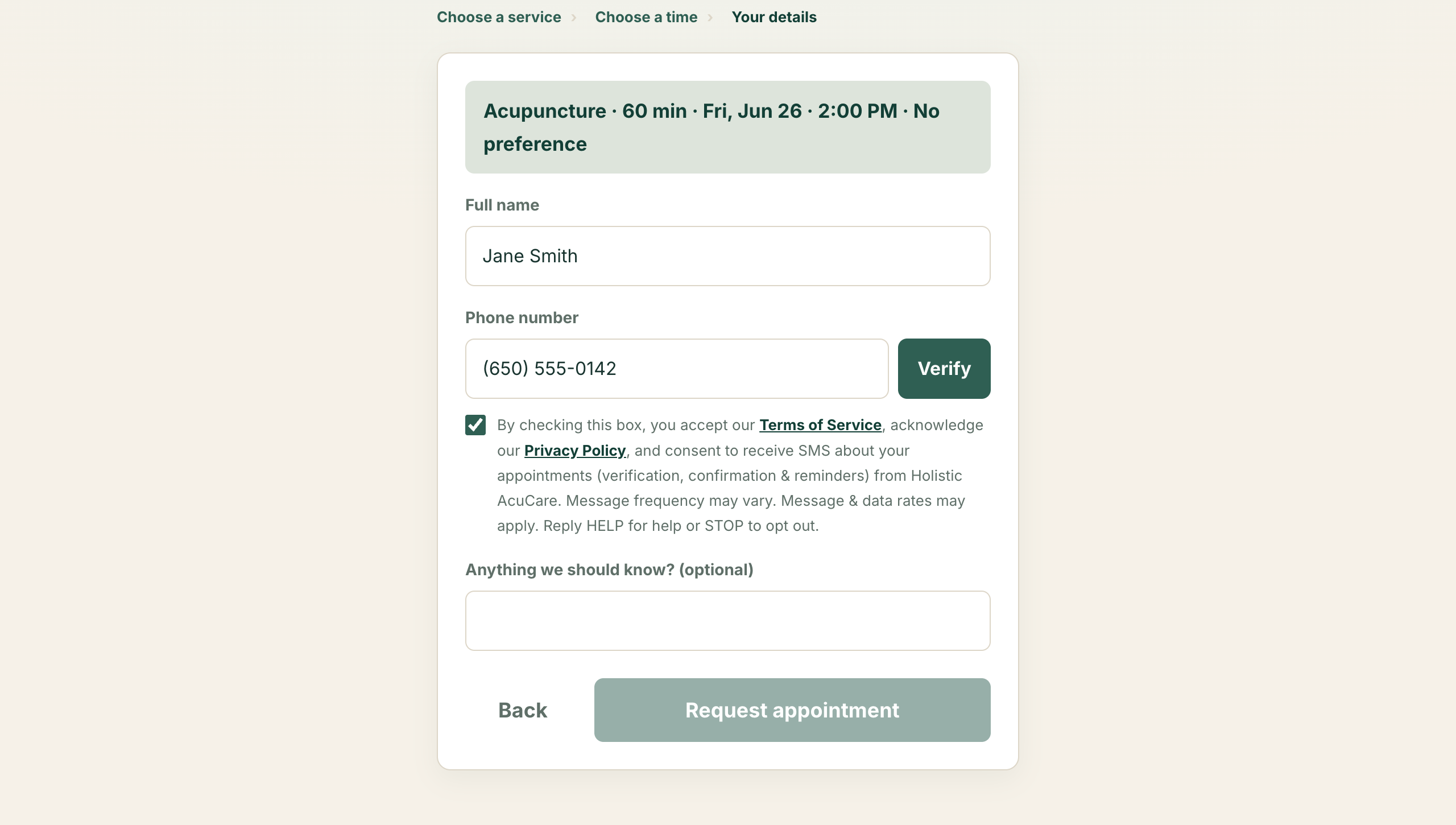
Booking is a short wizard. The consent checkbox appears on the final “Your details” step, directly beneath the phone-number field. It is unchecked by default, and no message — including the verification code — is sent unless the patient actively checks it. Consent is not a condition of any purchase or service.
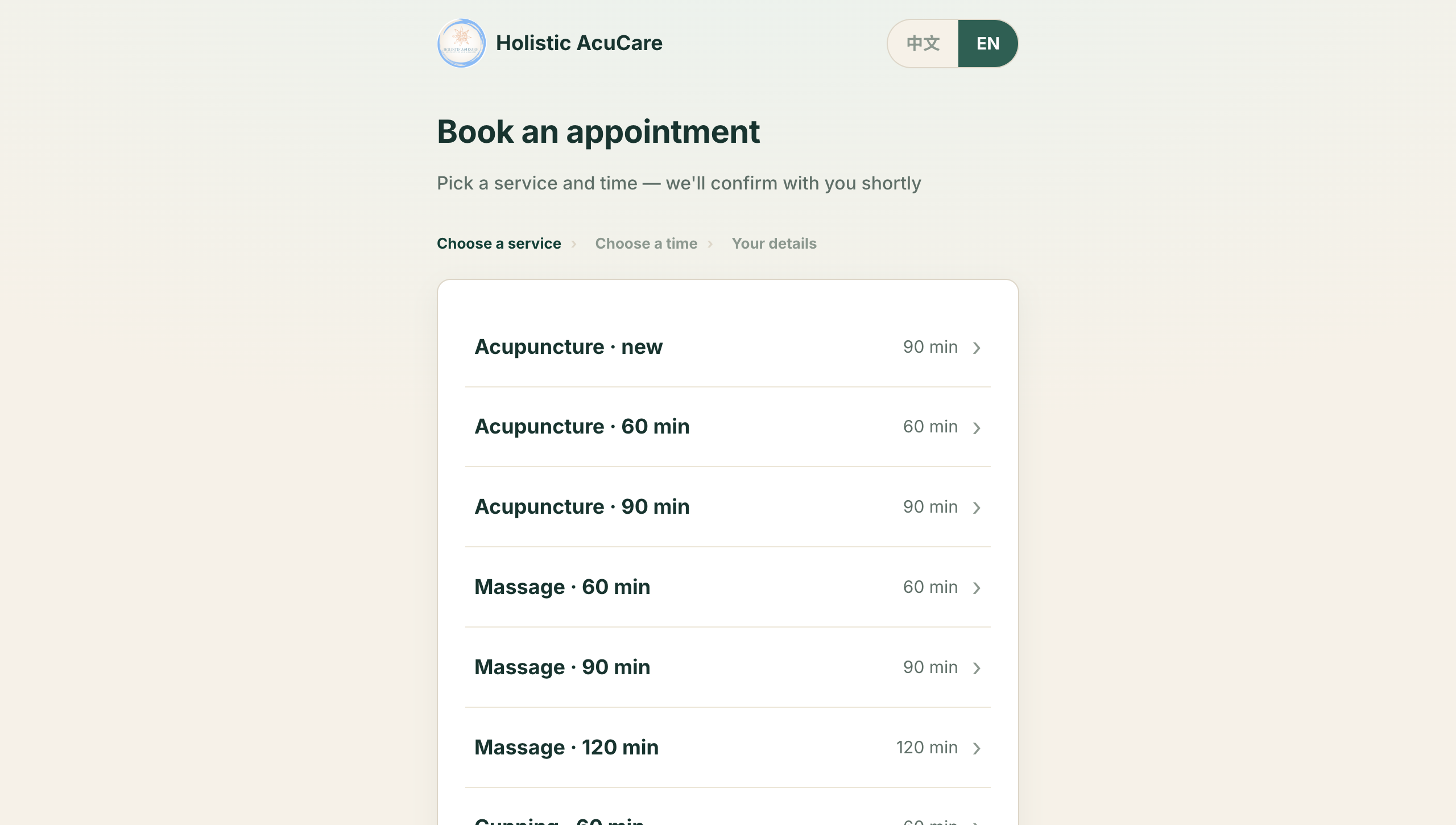
- Patient selects a service.
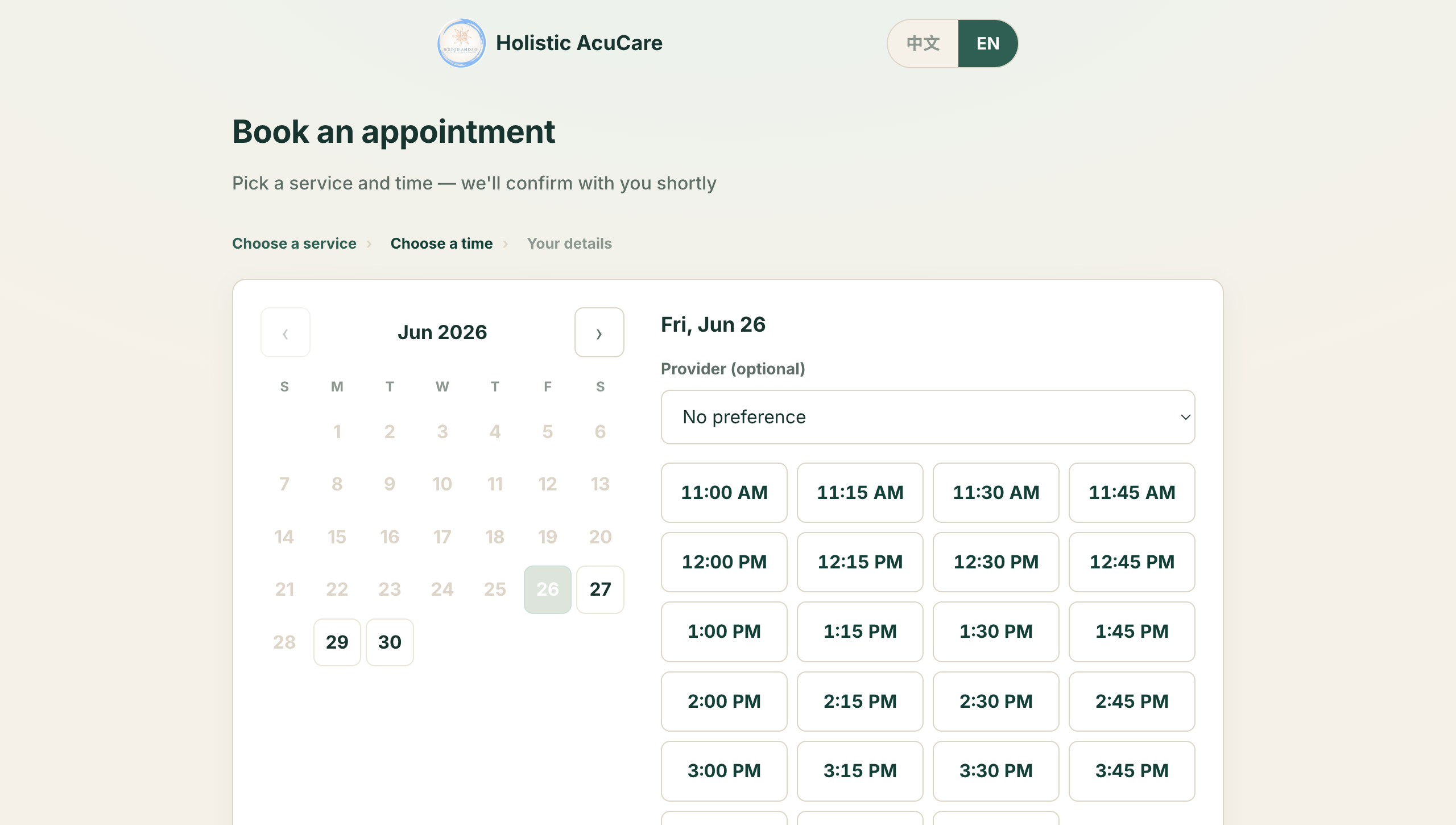
- Patient selects a date and time.
- Patient enters their name and mobile number, then checks the consent box shown below.
- A one-time verification code is texted; the patient enters it to confirm the number before the booking is submitted.
The exact consent checkbox text
“By checking this box, you accept our Terms of Service, acknowledge our Privacy Policy, and consent to receive SMS about your appointments (verification, confirmation & reminders) from Holistic AcuCare. Message frequency may vary. Message & data rates may apply. Reply HELP for help or STOP to opt out.”
Screenshots of the full consent flow
Related policies
Privacy Policy & SMS Terms · Terms of Service
网站端订阅:患者如何同意接收预约短信
Holistic AcuCare · 更新于 2026 年 6 月
我们的订阅方式:网站端订阅
我们仅采用一种订阅方式:网站端订阅。患者在我们的公开网站 holistic-acucare.mandarin.health/book 预约时,通过勾选复选框表示同意。我们不采用关键词/短信订阅方式(不存在“发送关键词到某号码”的订阅路径), 也不提供纸质、口头或二维码订阅方式;绝不从任何其他来源购买、出租、共享或收集手机号,并且不发送任何营销短信——仅发送一次性验证码,以及交易类预约通知(确认、拒绝、取消或提醒)。
网站端同意步骤
预约为简短的分步流程。短信同意复选框出现在最后的“您的信息”步骤,位于手机号字段正下方。该复选框默认未勾选, 在患者主动勾选之前,我们不会发送任何短信(包括验证码)。同意接收短信并非任何购买或服务的前提条件。
复选框的完整文字
“勾选即表示您接受我们的《服务条款》,确认已阅读并理解《隐私政策》, 并同意接收来自 Holistic AcuCare 的预约短信(验证码、确认与提醒)。短信频率可能不同。可能产生短信和数据费用。回复 HELP 获取帮助,STOP 退订。”